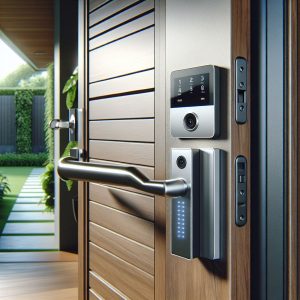
Smart Home Security Hacking: The Digital Threat to Your Physical Protection
The irony is hard to miss — the smart security devices you install to protect your home can themselves become targets for hackers. Smart home security hacking is not a theoretical risk or a plot from a thriller movie. It is a documented, growing problem that affects real households across New Zealand and worldwide. Research indicates that the average NZ household with connected devices faces approximately twenty-nine IoT attack attempts daily, and an estimated thirty-three percent of smart home devices run firmware with known vulnerabilities. When those devices are your security cameras, alarm panels, and smart locks, the stakes are significantly higher than a compromised smart lightbulb.
Understanding how hackers target smart security devices is the first step toward defending against them. The good news is that the vast majority of attacks exploit basic security hygiene failures — default passwords, outdated firmware, and poor network configuration — that homeowners can address with straightforward, non-technical measures.
How Hackers Find and Exploit Vulnerable Devices
The process of compromising a smart security device typically begins with discovery. Automated scanning tools sweep the internet looking for devices with open ports, known vulnerabilities, or default credentials. Services like Shodan — sometimes called the “search engine for IoT” — index internet-connected devices and their configurations, making it trivially easy for anyone to find unsecured cameras, NVRs, and alarm panels worldwide.
Once a vulnerable device is identified, the attack methods vary in sophistication but often target well-known weaknesses. The most common attack vectors for smart security devices include default credential exploitation, firmware vulnerability attacks, and man-in-the-middle interception of unencrypted communications.
Default credentials remain the single most exploited vulnerability in smart home security. Many cameras, NVRs, and alarm panels ship with factory-set usernames and passwords — often “admin/admin” or “admin/12345” — that an alarming number of users never change. Automated botnets systematically try these default credentials against every device they discover, and the success rate is disturbingly high. The Mirai botnet, which compromised over six hundred thousand IoT devices worldwide, relied almost entirely on default credential exploitation.
- Default credentials — Factory usernames and passwords never changed by the user
- Firmware exploits — Known vulnerabilities in outdated device software that manufacturers have patched but users have not updated
- Unencrypted streams — Video feeds transmitted without encryption, allowing interception on local networks or the internet
- UPnP exposure — Universal Plug and Play automatically opening firewall ports, exposing devices to the internet
- Cloud account compromise — Weak passwords on manufacturer cloud accounts giving remote access to camera feeds
What Hackers Do With Compromised Security Devices
The consequences of a compromised security camera or alarm system extend beyond simple privacy invasion, though that alone is deeply concerning. Understanding the full range of potential misuse helps homeowners appreciate the seriousness of the threat.
Surveillance and privacy invasion is the most visceral concern. Compromised indoor cameras give attackers a live view into your home — your daily routines, your possessions, your family’s movements. Some compromised camera feeds have been found streamed on websites that aggregate hacked camera footage, accessible to anyone. The violation of privacy is profound and the footage can be used for stalking, harassment, or planning physical crimes.
Disabling security systems before a burglary is a more targeted attack. A hacker who gains access to your alarm panel can disarm sensors, disable notifications, and delete camera footage — effectively neutralising your security system before or during a physical break-in. This type of attack requires more sophistication than mass credential scanning but is well within the capability of organised crime groups.
Botnet recruitment is the most common outcome of mass IoT compromise. Your compromised devices are enrolled into a network of thousands of hacked devices, used collectively to launch distributed denial-of-service (DDoS) attacks against websites, businesses, and infrastructure. Your camera becomes an unwitting weapon in cyberattacks against others, while also consuming your internet bandwidth and potentially degrading your own network performance.
Your security camera does not need to be interesting to a hacker for you to be targeted. Automated attacks do not discriminate — they compromise every vulnerable device they find, whether it is protecting a bank vault or a suburban garage.
The Practical Hardening Checklist
Securing your smart home security devices does not require advanced technical knowledge. The following checklist addresses the vulnerabilities that account for the vast majority of successful attacks. Working through these steps once — and revisiting them quarterly — dramatically reduces your exposure to IoT security threats.
Change every default password immediately. This is the single most impactful action you can take. Every camera, NVR, alarm panel, smart lock, and router in your home should have a unique, strong password. A strong password is at least twelve characters long and includes a mix of letters, numbers, and symbols. Use a password manager to generate and store unique passwords for each device.
Update firmware on every device. Check each device’s manufacturer website or app for firmware updates and apply them promptly. Enable automatic updates where the option exists. Firmware updates frequently patch security vulnerabilities that hackers actively exploit. If a device no longer receives firmware updates from its manufacturer, consider replacing it — an unsupported device is a permanent vulnerability.
Disable Universal Plug and Play (UPnP) on your router. UPnP automatically opens firewall ports to allow devices to communicate externally, often without your knowledge. While convenient, it exposes devices to the internet that should remain behind your firewall. Disable UPnP in your router settings and manually configure only the port forwarding rules you genuinely need.
- Change all default passwords — Unique, strong password for every device
- Update all firmware — Apply updates immediately and enable auto-update where available
- Disable UPnP — Prevent automatic port exposure on your router
- Enable encryption — Ensure HTTPS is enabled for web interfaces and encrypted video streams
- Use two-factor authentication — Enable 2FA on all cloud accounts associated with security devices
- Create a separate network — Put IoT devices on a dedicated Wi-Fi network isolated from computers and phones
- Disable unused features — Turn off remote access, cloud uploading, or peer-to-peer connections you do not use
- Check connected devices — Regularly review your router’s connected device list for unfamiliar entries
Network Segmentation: The Most Underrated Defence
Network segmentation — placing your smart home devices on a separate network from your computers, phones, and tablets — is one of the most effective security measures available and is surprisingly easy to implement. Most modern routers support guest networks, which can serve as an isolated network for IoT devices.
By placing cameras, sensors, and smart locks on a separate network, you create a barrier between your security devices and the devices that contain your personal data, banking credentials, and work files. If a smart camera is compromised, the attacker cannot easily pivot to accessing your laptop or intercepting your online banking session.
For more sophisticated segmentation, VLAN-capable routers and managed switches allow you to create fully isolated network segments with controlled inter-segment traffic. This approach is more common in business environments but is becoming accessible to technically inclined homeowners through consumer-grade networking equipment from brands like Ubiquiti, TP-Link, and Netgear.
Choosing Secure Devices From the Start
The easiest way to avoid smart home security vulnerabilities is to choose well-designed, well-supported products from reputable manufacturers in the first place. Not all smart security devices are created equal, and the cheapest option on the market often carries the highest security risk.
When evaluating devices, look for manufacturers that publish a clear security update policy, specifying how long they will provide firmware updates for each product. Avoid devices that require cloud connectivity for basic functionality — if the manufacturer’s servers go offline, a cloud-dependent camera becomes useless. Prefer devices that support local storage, local processing, and optional (not mandatory) cloud features.
For homeowners who want professional guidance on selecting and configuring secure smart security devices, Garrison Alarms, a leading NZ security provider, specifies equipment from manufacturers with proven security track records and configures systems with security hardening as standard. Professional installation eliminates the common configuration errors that create vulnerabilities in DIY setups.
Staying Vigilant: Ongoing Security Hygiene
Securing your smart home devices is not a one-time task — it requires ongoing attention as new vulnerabilities are discovered and attack methods evolve. Set a quarterly reminder to check for firmware updates on all devices, review your router’s connected device list, and verify that your passwords remain strong and unique.
Subscribe to security advisory notifications from your device manufacturers. Most reputable companies maintain a security advisory page or mailing list that announces vulnerabilities and patches. Being aware of a newly discovered vulnerability allows you to apply the patch before automated attacks begin targeting it.
The digital security of your smart home devices is now inseparable from the physical security of your property. A well-configured, regularly maintained smart security system provides excellent protection. A neglected system with default passwords and outdated firmware is not just an ineffective security measure — it is a liability that actively undermines your property’s safety. Taking the time to harden your devices protects your home, your privacy, and your family in both the physical and digital domains.