Post Earthquake Alarm Check NZ: A Step-by-Step Guide to System Verification
The shaking has stopped, the adrenaline is easing, and the immediate safety checks are done — no injuries, no structural collapse, no gas leaks. Now what? For New Zealand homeowners with alarm systems, the next priority should be verifying that your security infrastructure survived the earthquake intact. A post earthquake alarm check in NZ is essential because an earthquake can disable security systems in ways that are not immediately obvious, leaving your home vulnerable at a time when neighbourhood disruption may already be elevated.
Earthquakes affect security systems through multiple mechanisms: physical displacement of sensors, damage to cabling, disruption of communication pathways, battery drain from repeated false alarms, and panel malfunction from shock or power surges. Even a moderate earthquake — magnitude 4.5 to 5.5 — can cause issues that compromise your system’s reliability without triggering an obvious fault indication.
Immediate Assessment: The First Five Minutes
Before conducting a detailed system check, perform a quick visual assessment of your alarm panel. Look at the display or status lights to determine the system’s current state.
If the panel shows normal operation (armed or disarmed with no fault indicators), this is a positive sign but not conclusive. Many faults only become apparent when a specific sensor is tested or when the system attempts to communicate with the monitoring centre.
If the panel shows fault codes, alarm memory events, or communication errors, note these before clearing them. The specific fault codes provide valuable diagnostic information that your security technician will need if professional attention is required.
If the panel is completely dark or unresponsive, check whether mains power has been lost (common during earthquakes) and whether the backup battery has taken over. If the panel has power but is unresponsive, it may have suffered internal damage from the shock.
Power Status Verification
Check the power supply to your alarm system:
- Confirm mains power is reaching the panel — check the transformer or power supply unit
- Check the backup battery voltage if your panel displays this information
- If mains power is out (common after earthquakes), the battery will be sustaining the system. Note how long the power has been off — standard backup batteries last eight to twenty-four hours depending on the system and battery age
- If power is out for an extended period, the system will eventually lose battery power and shut down completely, leaving the property unprotected
Sensor-by-Sensor Walk Test
This is the most important part of the post-earthquake check and the step most homeowners skip. Every sensor in your system — every door contact, window sensor, motion detector, and glass-break sensor — needs to be individually tested to confirm it is still functioning and correctly positioned.
Put your alarm panel into test mode (also called walk test mode). This allows you to trigger each sensor without activating the full alarm. The method for entering test mode varies by panel manufacturer, so consult your user manual or contact your security provider for instructions specific to your system.
Once in test mode, systematically work through every sensor:
Door and Window Contacts
Open and close every door and window that has a magnetic contact sensor. The panel should register each activation. Key things to look for:
- Does the panel register the sensor opening and closing?
- Is the magnet still properly aligned with the sensor? Earthquakes can shift door frames and window frames, moving the magnet out of alignment. Even a few millimetres of displacement can prevent the sensor from functioning.
- Has the sensor or magnet physically detached from the door frame or window? Check that mounting screws are still secure.
- For wireless sensors, does the panel show good signal strength? If signal has dropped, the sensor may have shifted position or the battery may have been drained by repeated earthquake-triggered activations.
Motion Detectors
Walk through the detection zone of every PIR motion sensor and confirm that the panel registers your movement. Pay attention to:
- Has the sensor shifted on its mounting bracket? Even a slight tilt can change the detection zone, potentially creating blind spots where movement is not detected.
- Has the sensor lens been cracked or dislodged? The multi-faceted lens that focuses infrared energy onto the detection element is fragile and can be damaged by vibration.
- Is the detection range consistent? Walk through the full expected detection zone — near, far, and at the edges — to confirm coverage has not been reduced.
Glass-Break Sensors
Glass-break sensors are tested using a simulator device that produces the specific frequency pattern of breaking glass. If you do not have a simulator, your security provider can test these sensors during a professional post-earthquake inspection. At minimum, confirm the sensors are still securely mounted and that no visible damage has occurred.
Camera System Inspection
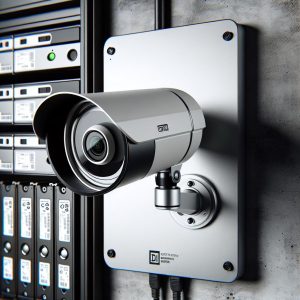
If your property has CCTV cameras, check each one for physical displacement and image quality. Open your camera app or NVR viewer and review each camera’s live feed:
- Has the camera angle shifted? Compare the current view with your memory of the normal field of view. Even a small shift can create blind spots or point the camera at a wall instead of an entry point.
- Is the image quality normal? Cracks in the housing, displaced lens elements, or moisture ingress (common if seals are broken by vibration) will degrade image quality.
- Are all cameras online? Check that no cameras have dropped off the network due to damaged cables or displaced connectors.
- For outdoor cameras, inspect mounting brackets and housings for physical damage from falling debris.
Communication Path Testing
Your alarm system’s ability to communicate with the monitoring centre is its most critical function. If the system cannot send an alarm signal, monitoring is effectively blind. After an earthquake, communication pathways may be damaged, congested, or non-functional.
Contact your monitoring company and request a communication test. This involves triggering a test signal from your panel and having the monitoring centre confirm receipt. Test every communication path your system uses:
- Cellular: Mobile networks are often congested after earthquakes as people check on each other. Your alarm signal competes with this traffic. If the test fails, retry after an hour when congestion may have eased.
- IP/Internet: If your system communicates via broadband, check that your modem/router is functioning and that the internet connection is active.
- Landline: Older systems using landline communication are vulnerable to physical cable damage from earthquakes. If the landline is down, the alarm cannot send signals via this path.
When to Call a Professional
If your walk test reveals faults, if cameras have shifted, if communication tests fail, or if the panel is displaying errors you cannot resolve, it is time to call your security provider. A professional post-earthquake inspection includes all the checks described above plus detailed diagnostics that require technician-level access to the system.
Professional inspections should always follow any earthquake that was strong enough to move objects in your home, cause damage to the building structure, or trigger your alarm. Even if everything appears normal after a moderate shake, having a technician verify the system provides assurance that cannot be gained from a self-assessment alone.
An earthquake tests everything in your home — including the systems you rely on for protection. A thorough post-earthquake check ensures your alarm system is as ready for the next event as it was before this one.
New Zealand’s seismic environment means that earthquakes are not a question of if, but when. Making post-earthquake alarm verification a habitual response — as automatic as checking for gas leaks and water damage — ensures that your security system remains a reliable defender, shake after shake, year after year.